
Fooda Events POS
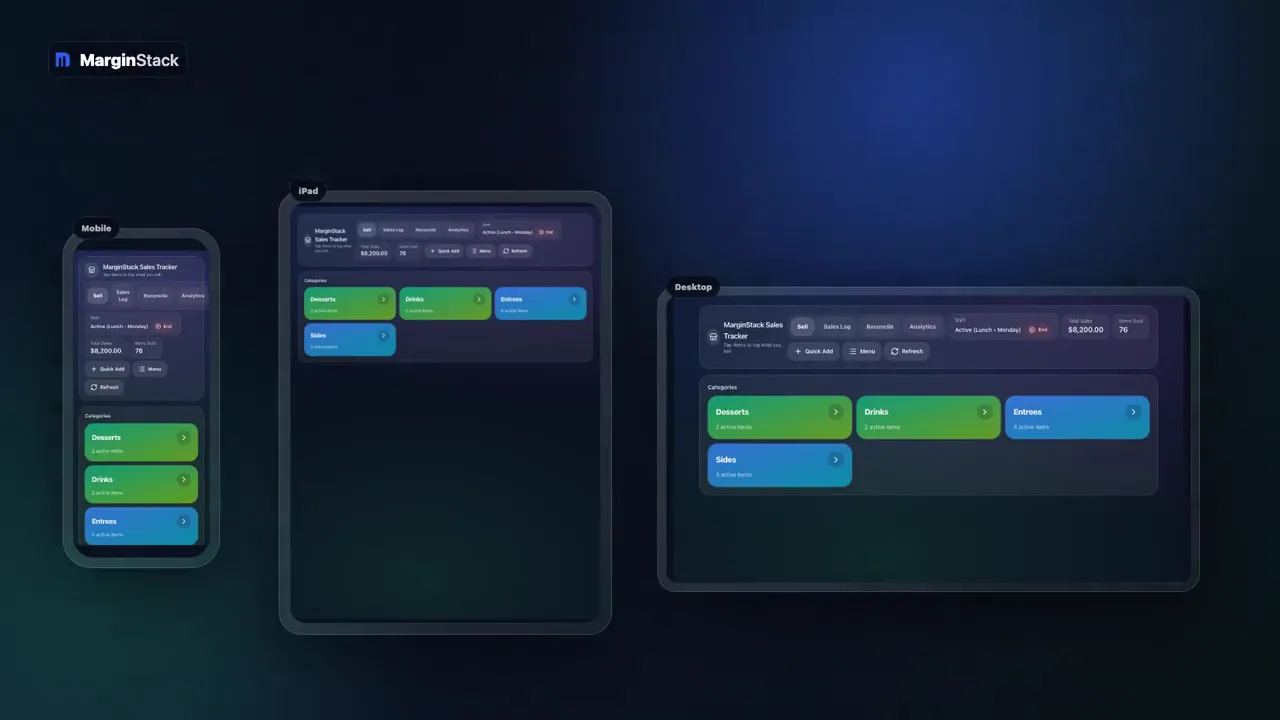
Demo Workflow
Fooda Events POS
Fooda Events POS is a responsive sales tracker and reconciliation system that gives Fooda operators their own count, day-by-day delta checks, and event analytics across mobile, iPad, and desktop.
Case Study
Fooda Events POS shows how a Fooda event operator can stop trusting only the number emailed after close and start reconciling Fooda's report against an owned sales count.
Case Study Answer
Fooda Events POS shows how a Fooda event operator can stop trusting only the number emailed after close and start reconciling Fooda's report against an owned sales count.
Fooda Events POS
Demo Workflow
Fooda Events POS is a responsive sales tracker and reconciliation system that gives Fooda operators their own count, day-by-day delta checks, and event analytics across mobile, iPad, and desktop.
Operating Flow
Fooda events create a simple but expensive gap: at close, the operator often has Fooda's emailed number but no independent count. If there is no owned sales log, the operator has to trust the report and hope it is right. This workflow gives the operator a clean shift window, live item sales, an internal total, Fooda's total, and the delta by day so mismatches are visible instead of guessed.
Start-shift workflow that opens one clean event window across mobile, iPad, and desktop
Phone and iPad sales entry so staff can tap items as orders happen
Live sales log that records every sale the second it is rung
Fooda report reconciliation with owned total, Fooda total, and delta by day
Mismatch filtering so operators can focus only on days that do not tie out
Event analytics for sales per hour, category mix, busiest window, and best day
Problem
Fooda events create a simple but expensive gap: at close, the operator often has Fooda's emailed number but no independent count. If there is no owned sales log, the operator has to trust the report and hope it is right. This workflow gives the operator a clean shift window, live item sales, an internal total, Fooda's total, and the delta by day so mismatches are visible instead of guessed.
It gives Fooda operators their own sales count before they receive Fooda's report, then lets them reconcile their total against Fooda's total and see the delta by day.
The workflow can show sales per hour, category mix, busiest sales window, best day, active items, event totals, and day-level mismatches between the owned count and Fooda's report.
Custom Software
Custom restaurant software, internal tools, dashboards, automations, and owned operating systems for independent restaurants and small groups.
Dashboard Integration
One operator view from the files you already export. POS, labor, inventory, and P&L in one place. Owned dashboard, not per-location SaaS.
Reporting Automation
Weekly restaurant reporting, not month-end. Sales, labor, and P&L reports that write themselves. Catch missing counts before the week is gone. You own the system.
Tell us about your restaurant or group and what you're trying to solve. We'll get back within 24 hours. Prefer to call? (904) 434-2846.
No pitch, no pressure
Response within 24 hours
30-minute discovery call